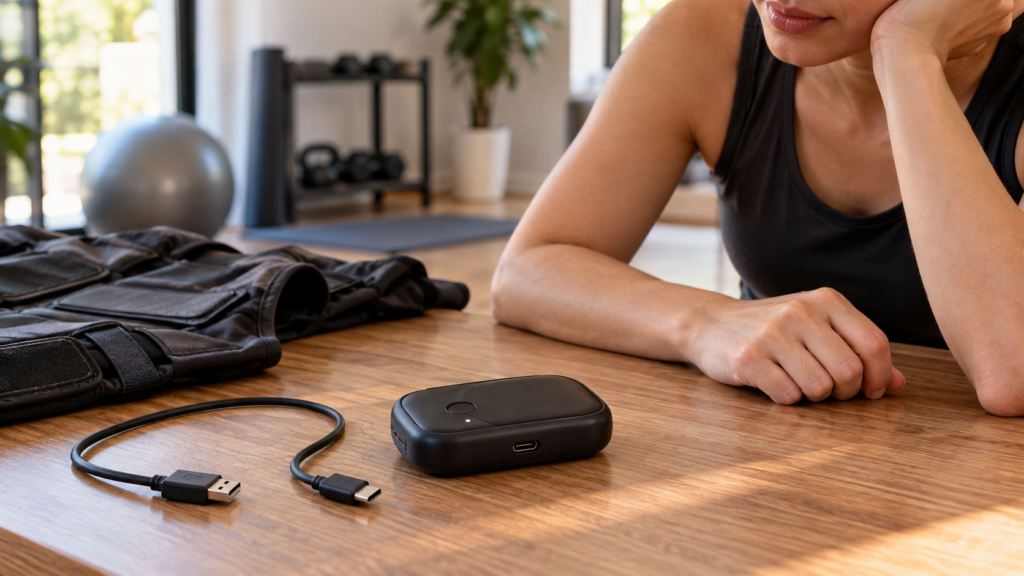
An EMS controller that will not charge may have a simple cable or power-source problem, but it can also involve moisture, a damaged port, temperature protection, or a failing lithium-ion battery. Charging is not the place for improvised repairs.
Remove the controller from the suit if the manufacturer requires it, stop using the system, and inspect it in a dry, well-lit area.
Stop immediately for battery warning signs
Do not plug in a controller that is:
- Swollen or distorted.
- Cracked or punctured.
- Wet or contaminated inside the port.
- Unusually hot before charging.
- Giving off a chemical or burning odor.
- Making a hissing sound.
Move away from combustible materials without handling a hot or actively failing battery more than necessary, and follow local emergency guidance. Do not place a lithium battery in household trash or attempt to open the enclosure.
Use only approved charging equipment
Check the official manual for the required cable, adapter, voltage, and current. USB-C connector shape does not prove that every USB-C supply is approved for the controller.
Electrically, a charger is not simply a reservoir of power. The source presents one or more voltage/current profiles; the controller’s charging circuit accepts a supported profile, regulates current into the cell, monitors temperature and voltage, and terminates or tapers the charge near its upper limit. USB Power Delivery can negotiate several power levels over an identical-looking Type-C connector. A physical fit therefore says nothing about firmware negotiation, cable current rating, electromagnetic compatibility, or whether the EMS manufacturer validated that combination.
The FDA’s current charging guidance for medical devices recommends using manufacturer-supplied accessories because an unapproved accessory may permit a higher power level and increase overheating, spark, or fire risk. Consumer EMS products do not all share the same regulatory classification, but the electrical principle is directly relevant: use the validated power path, not the most powerful adapter that happens to connect.
Avoid unverified fast chargers, damaged cables, travel adapters of uncertain quality, and extension arrangements the manufacturer does not allow. A controller that charges slowly with one source and not at all with another may be responding to the power supply rather than failing internally.
Where does charging stop?
Follow the power path. Tap each stop to see what it does and what you can check safely.
Stop 01 Outlet Is power available? Tap to inspect ↓
Role: Supplies electricity to the adapter.
Safe check: Try a known-working outlet, but only if the controller, cable, and adapter look undamaged.
Stop 02 Approved adapter Does it offer the required power? Tap to inspect ↓
Role: Provides the power profile the controller was designed to accept.
Safe check: Match the exact adapter requirements in your model’s manual. Do not assume a more powerful phone or laptop adapter is approved.
Stop 03 Cable Can power travel through it? Tap to inspect ↓
Role: Carries power between the adapter and controller.
Safe check: Unplug it and look for fraying, bent ends, or damage. Swap cables only when the manual permits an approved substitute.
Stop 04 Charging port Is the connection intact? Tap to inspect ↓
Role: Connects the cable to the charging electronics.
Safe check: With power disconnected, inspect for moisture, corrosion, or a loose port. Do not scrape it with metal or wiggle the plug to force charging.
Stop 05 Controller + battery Does it accept and store charge? Tap to inspect ↓
Role: Internal electronics manage charging and may pause it for a fault or temperature condition.
Safe check: Look up the exact indicator pattern in the manual. Persistent failure after approved checks needs manufacturer support, not an opened enclosure.
Charging guidance: FDA · Power profiles: USB-IF. Always follow the manual for your exact EMS model.
Confirm the correct charging configuration
Some EMS power boxes must be detached from the garment before charging. PEPPER’s official FAQ, for example, instructs users to disconnect its power box from the suit first. Another product may have a different sequence.
Verify whether the controller should be on, off, or in a dedicated charge position. Do not infer the state from another brand’s process.
Inspect the cable and port
With the charger unplugged, look for:
- Bent or damaged connector shells.
- Frayed cable insulation.
- Debris inside the port.
- Green, white, or dark corrosion.
- A port that moves inside the housing.
- A plug that no longer seats normally.
Do not insert pins, blades, foil, or metal brushes. Do not blow moisture deeper into a port. Use only the dry cleaning method described by the manufacturer.
Try one controlled power-source check
If the controller and cable are visibly undamaged, test the approved charger in a known working outlet. If the manual allows another compatible cable or adapter, make one substitution at a time.
This isolates the cable, adapter, and controller without creating a confusing series of changes. Stop after the supported checks; repeated plugging and flexing can worsen a loose port.
Understand the status indicator
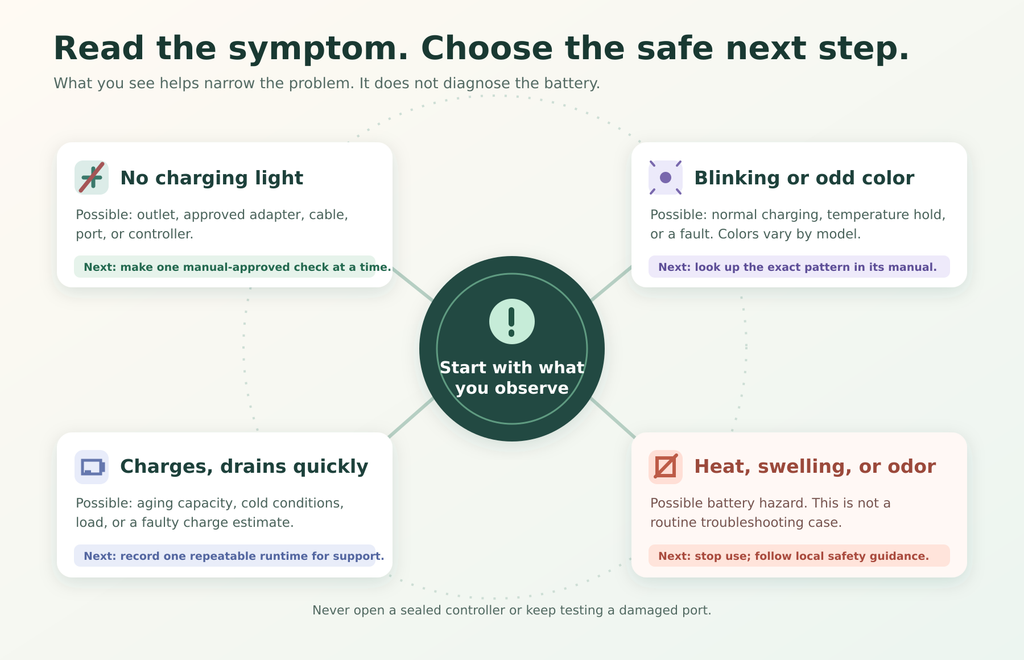
A blinking light might mean charging, a fault, an unsupported power supply, high temperature, or low temperature. Colors are not standardized.
Use the model-specific indicator table. Note the exact pattern for support: color, steady or blinking, how many flashes, and whether it changes when the cable is connected.
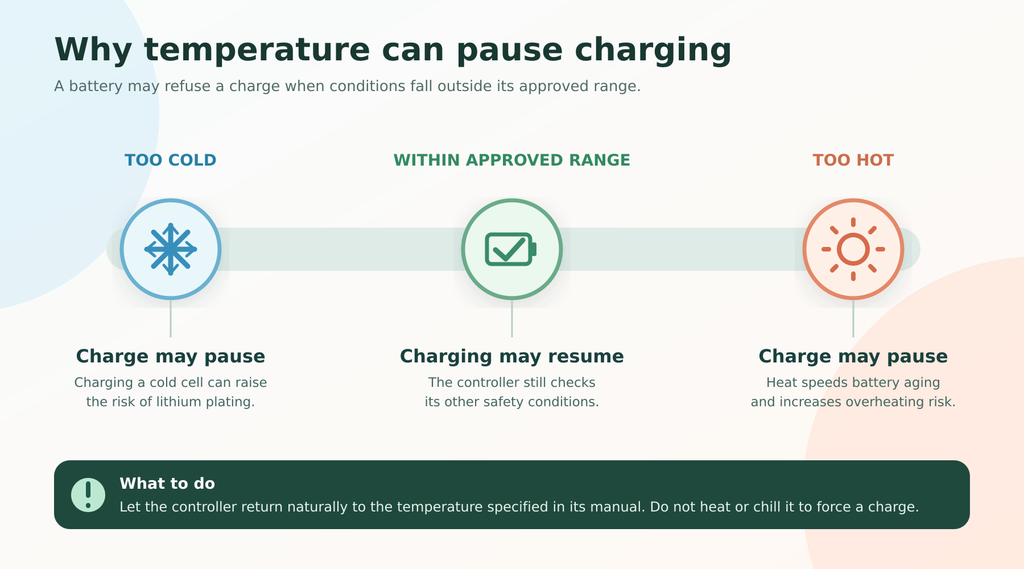
Temperature can pause charging
Battery-management systems may limit charging when a controller is too hot or too cold. Let the unit return naturally to the operating temperature specified in the manual.
Lithium-ion cells move lithium ions between electrode materials through an electrolyte. Charging outside the validated thermal range can accelerate unwanted chemical reactions. At low temperature, lithium plating can occur instead of normal intercalation; at high temperature, parasitic reactions and electrolyte degradation accelerate. A pack’s protection circuit may therefore refuse charging even while the controller otherwise powers on. This protective refusal is not evidence that the interlock should be bypassed.
Do not speed the process with a hair dryer, heater, freezer, direct sun, or hot vehicle. Condensation after a cold environment can also introduce moisture, so allow sufficient dry acclimation.
If the controller charges but drains quickly
Short runtime can result from battery aging, storage at an extreme state of charge, cold conditions, firmware behavior, or a hardware fault. Record:
- Time to reach the full-charge indication.
- Idle runtime and session runtime.
- Program and number of active zones.
- Ambient temperature.
- Any unexpected shutdown or heat.
Do not run repeated full-discharge tests unless support instructs you to. Deep cycling can add wear and is not a universal calibration method.
Battery capacity and state-of-charge estimation are different quantities. Capacity is the usable charge the aging cell can store under defined conditions. The displayed percentage is an estimate derived from voltage, current integration, temperature, and the manufacturer’s algorithm. A controller can therefore show an apparently normal percentage while delivering shortened runtime, particularly under a larger electrical load or in cold conditions. One repeatable runtime record is more informative than repeatedly draining the pack to zero.
Distinguish failure modes scientifically
Troubleshooting becomes clearer when observations are assigned to a subsystem:
- No input power: outlet, adapter, cable, or connector continuity problem.
- Power present but no charge acceptance: incompatible negotiation, temperature lockout, battery undervoltage, protection-circuit trip, or internal charger fault.
- Charge indication without useful runtime: reduced cell capacity, poor state-of-charge calibration, abnormal standby drain, or high session load.
- Intermittent charging with cable movement: mechanical connector damage or contamination; stop flex-testing because contact resistance can create localized heating.
- Heat, swelling, odor, or deformation: possible cell or pack failure; isolate the device and obtain professional guidance rather than continuing diagnosis.
These categories are hypotheses, not user-service instructions. A multimeter reading at an exposed connector does not prove safe operation under load, and opening a sealed controller introduces shock, short-circuit, electrostatic discharge, and warranty risks.
Firmware and reset procedures
An official reset may resolve a controller that is responsive but misreporting charge. Use only the documented button sequence. Avoid hidden menus or third-party firmware.
Do not begin a firmware update on an unstable battery. Losing power during an update can leave the controller unusable and complicate service.
What not to do
- Do not open a sealed power box.
- Do not replace cells with unapproved batteries.
- Do not bypass a charging port.
- Do not charge while the equipment is wet.
- Do not leave a suspect battery charging unattended.
- Do not continue using a controller that overheats.
Frequently asked questions
Can I use any phone charger?
Only if it meets the controller manufacturer’s stated requirements. Connector compatibility alone is insufficient.
Why is there no charging light?
Possible causes include a dead outlet, damaged cable, unsupported adapter, dirty or damaged port, incorrect switch position, deep battery discharge, or internal failure. Follow the official order of checks.
Should I charge the controller while attached to the suit?
Follow the manual. Some brands explicitly require removal before charging.
Can a battery be replaced?
That depends on the service design. A sealed lithium battery should be replaced only through an authorized procedure.
The practical takeaway
When an EMS controller will not charge, begin with condition, configuration, approved power equipment, and indicator meaning. Make one supported substitution at a time and stop if the port or battery appears damaged.
Charging problems that persist after basic checks require manufacturer service. Protect the battery warranty and user safety by avoiding improvised cables, enclosure opening, or cell replacement.
Continue troubleshooting with the pre-session EMS suit check, the guide to EMS connectivity problems, and the EMS warranty checklist.